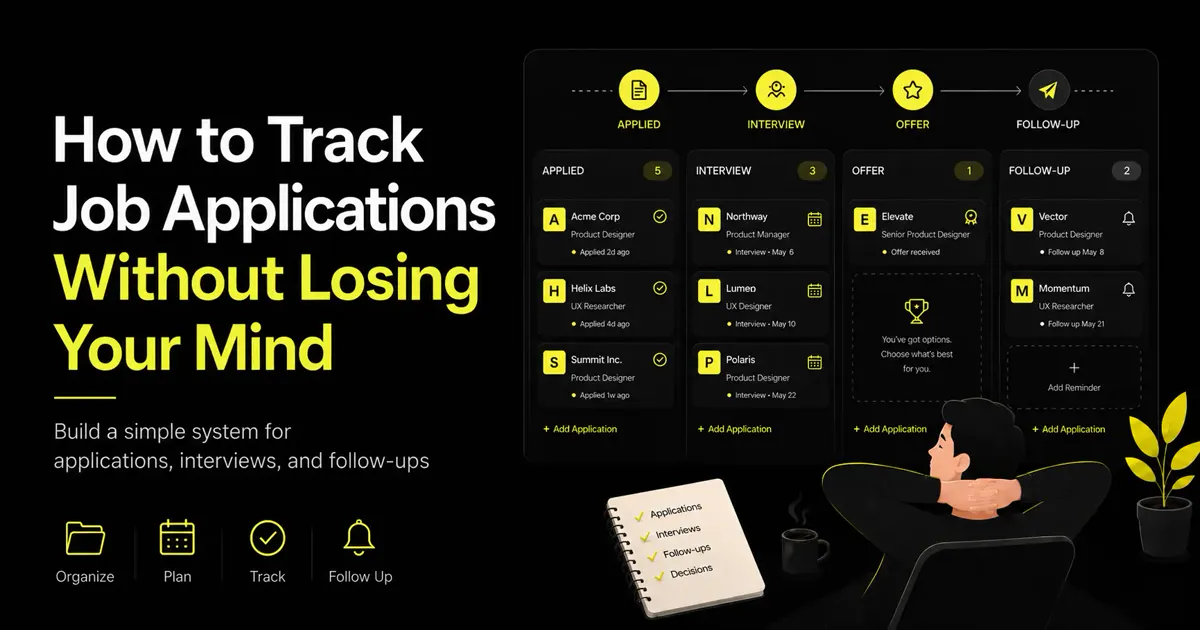
Job hunting gets stressful less because of “hard interviews” and more because information is scattered: emails, sticky notes, spreadsheets, LinkedIn messages, calendar invites, and half-remembered promises to “follow up Friday.”
A simple tracking system will not get you the offer by itself. It will keep you from missing interviews, double-applying, forgetting a recruiter’s name, or wondering whether you already followed up. That alone lowers the cognitive load of an active search.
Why job applications become difficult to manage
Without a single source of truth, you end up with:
- Roles you applied to but cannot find the posting for
- Recruiters in your inbox with no link to the company or stage
- Interview times that live only in a calendar notification
- Follow-ups that depend on memory
- No clear picture of what is active vs dead
The more applications you send, the faster this breaks. Volume without structure turns into anxiety.
What information you should track
At minimum, capture:
| Field | Why it matters |
|---|---|
| Company and role | Identity of the opportunity |
| Application date | Aging, follow-up timing, weekly volume |
| Current status | Where you are in the pipeline |
| Recruiter contact | Who to message, and how |
| Interview dates | Prep and logistics |
| Next action | What you do next—not vague “waiting” |
| Follow-up date | When silence becomes a nudge |
| Notes | Comp range, team details, gut feel, red flags |
Nice-to-haves if you have bandwidth: job link, source (board, referral, career page), salary expectations, and referral name.
If a field never changes a decision or an action, you do not need it. Overbuilding the tracker is how trackers die.
A simple application pipeline
Statuses should describe reality, not optimism. A clean pipeline:
Saved → Applied → Recruiter Screen → Interview → Final Interview → Offer → Rejected
Optional extras many people add:
- Withdrawn (you stepped out)
- Ghosted / inactive (you closed it after silence)
- Offer negotiation (if offers need their own step)
Rules of thumb:
- One status per role at a time
- Move the card when reality moves—not when you hope it will
- “Rejected” and “inactive” are healthy statuses; they free attention
How often to update your tracker
Light, consistent updates beat heroic weekly rebuilds.
- Same day you apply: create the row, status Applied, set a follow-up date
- Same day you talk to anyone: log contact, notes, next action
- After every interview: thank-you sent?, next date, new status
- 2–3 times per week: scan follow-up dates and overdue next actions
- Weekly review (20–30 min): archive dead roles, count applications, check response patterns
If you are choosing weekly application volume, the tracker is how you know whether the plan is real or aspirational.
Common tracking mistakes
- Starting over every week in a new note instead of one living system
- Tracking only “Applied” with no next action or follow-up date
- Too many columns you never fill in
- Leaving ghosted roles as “Interview” forever
- No distinction between waiting on them and waiting on you
- Relying on email search as your database
- Skipping notes and relearning the same company story three times
The tracker fails when updating it feels heavier than applying. Keep it lighter than your job search, not another job.
Spreadsheet, Notion, or dedicated app?
| Approach | Best for | Watch-outs |
|---|---|---|
| Spreadsheet | Full control, simple filters, offline comfort | Easy to abandon; no reminders unless you build them |
| Notion / docs | Custom views, rich notes | Can become a second product to maintain |
| Dedicated job-search app | Applications, statuses, and follow-ups in one workflow | Pick one that matches how you actually apply |
There is no moral high ground in DIY. The best system is the one you will update after a long day.
If maintaining the sheet is the chore you keep skipping, a dedicated workspace is not “cheating”—it is choosing leverage. Caspr is built so applications, stages, and follow-ups live together instead of across five tabs.
A sample weekly workflow
Monday (30–45 min)
Review active roles. Confirm interview prep. Set this week’s application target.
Tue–Thu (focused blocks)
Find roles, apply, log each application immediately. Update statuses after screens.
Friday (20 min)
Check follow-up dates. Send due follow-ups. Mark silent processes using your ghosting rules. Archive closed roles.
Anytime an email arrives
Do not “deal with it later” without a tracker update. Two minutes now prevents a lost thread later.
Sample row (mental model)
- Company / role: Northwind · Senior Backend Engineer
- Applied: 2026-07-08
- Status: Interview
- Recruiter: Sam Lee · sam@…
- Interview: 2026-07-18 10:00
- Next action: Send thank-you; prep system design notes
- Follow-up date: 2026-07-22 (if no update after interview)
- Notes: Team owns payments; prefers Go; hybrid 2 days
That is enough to act without reopening fifteen tabs.
Stop keeping your job search in five different places
Email is for communication. Calendars are for time. Spreadsheets can work—until reminders, statuses, and notes drift apart.
Stop keeping your job search in five different places. Track applications, interviews, and follow-ups with Caspr—so the next action is obvious and silent roles stop living in your head.
Bottom line
Track the few fields that drive action, use a pipeline that matches real stages, update in small moments, and close inactive roles on purpose. A calm job search is usually an organized one.
Next step
Ready to search, match, and apply from one place?